

HBN WiFi Smart Wall Timer Switch, Compatible with Alexa and Google Assistant, No Hub Required, APP Remote Control, Control Your Devices from Anywhere 16 amp 3680 watts (1 Pack)
£19.99





Price: £19.99
(as of Jun 13, 2026 03:59:14 UTC – Details)
Product Description
HBN Wi-Fi Smart Wall-mounted Timer Plug Switch 
You can control your device from anywhere. Turn on/off your appliances with your smart phone or voice through Alexa or Google Assistant.During the APP upgrade, some Android users may not be able to download the HBN APP. Customers can choose to use Smart life or Tuya smart APP.
Please let professional electrician to install.


 APP Control

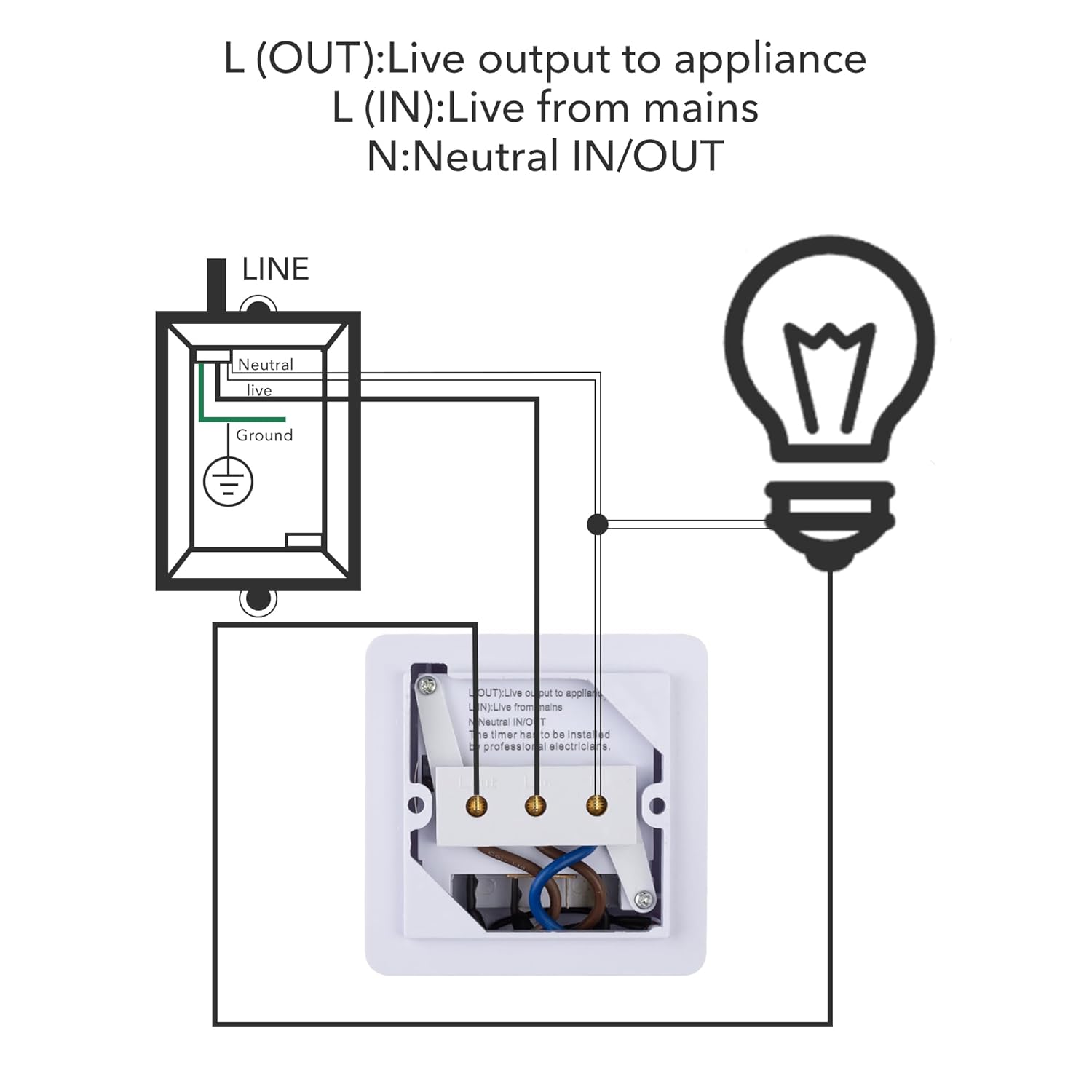
Connect supply live into teminal 2 and neutral into terminal 1 of the Smart Switch. Connect appliance’s live to terminal 3 and netural to terminal 1.
NOTICE: Do not over load! Ballast load and inductive load such as pump, Ballast, motor, refrigerator ect. Max 400W.
Procedure for connecting to the APP  Step 1:Download HBN APP to Add a Device
Please download HBN Smart or Smartlife app. Tap the icon”+” on the top right corner to add a device and choose switch(Wi-Fi).
 Step 2:Log in to a 2.4GHz network
Note:Check whether your mobile device is connected to 2.4GHz Wi-Fi network.If your router is dual-band router,please select 2.4GHz network and then add smart switch.
 Step 3:Hold the middle button
Press and hold power button on the smart switch for 6 seconds until the indicator light blinks slowly.
Note:There are 2 modes configurations(EZ mode/AP mode) available for you to choose before adding the device to App.Ap mode is recommended.
 Step 4:The switch is being connected
If the connection fails, try to reset and reconnect.Press hold the power button on the smart switch until the blue light blinks quickly,then re-link the smart switch with the APP.
 Wi-Fi Network Compatibility
Device connection only requires 2.4 Ghz Wi-Fi network,5.0GHZ network is not compatible.
If your Wi-Fi router only supports 5GHz,your device won’t be able to connect.
If your dual-band Wi-Fi router broadcasts 2 signals,make sure your phone connects to the 2.4 GHz signal.
 APP Remote Control
Turn your devices on/off from anywhere and anytime. Just use your smart phone with HBN Smart or Smartlife app.
Please be assured purchase, this timer would be a good helper for your daily life!
Why can’t I download the HBN Smart APP?
During the APP upgrade, some Android users may not be able to download the HBN Smart APP. Customers can choose to use Smart life or Tuya smart APP.
How to connect to Alexa and Google Home ?
1.Modify device name so your Amazon Alexa can easily recognize the name.
2.Use Alexa App or Computer to set up your Amazon Alexa.
3.In the menu bar, go to ‘Skills’ and search for ‘Smart Life’.
4.Ask Alexa to discover devices.
Learn More Timer from HBN
Add To Basket
Add To Basket
Add To Basket
Add To Basket
Add To Basket
Add To Basket
Add To Basket
Customer Reviews
4.3 out of 5 stars 1,120
4.1 out of 5 stars 966
4.3 out of 5 stars 2,349
4.3 out of 5 stars 4,261
4.3 out of 5 stars 1,572
4.3 out of 5 stars 6,536
4.2 out of 5 stars 2,302
Price
£19.99£19.99
£15.99£15.99
£27.99£27.99
£14.99£14.99
£14.44£14.44
£12.99£12.99
£17.99£17.99
Program Duration
Schedule
24 Hour Program
Schedule
24 Hour Program
24 Hour Program
24 Hour Program
Schedule
Compatible with Alexa
✔
✘
✔
✘
✘
✘
✘
Google Assistant
✔
✘
✔
✘
✘
✘
✘
Plug In / In Wall
In Wall
In Wall
Plug In
Plug In
Plug In
Plug In
Plug In
Load Specifications
240V, 16A
240V, 16A
240V, 13A
240V, 13A
240V, 13A
240V, 13A
240V, 13A
Minimum Time That Can Be Set
1min
15min
1min
30min
15min
15min
1min
CE RoHs Certified
✔
✔
✔
✔
✔
✔
✔
During the APP upgrade, some Android users may not be able to download the HBN APP. Customers can choose to use Smart life or Tuya samrt APP.
Up TO 15 ON/OFF PROGRAMS DAILY: Create worry-free schedules for your lights and appliances. Using the free app, you can set up to 15 ON/OFF per day. You can reduce the waste of electricity to save energy and money.
MULTI PURPOSE: Can be used for controlling corridor light system, water pump system, heating/cooling system, security system, lighting controlling, exhaust system etc.
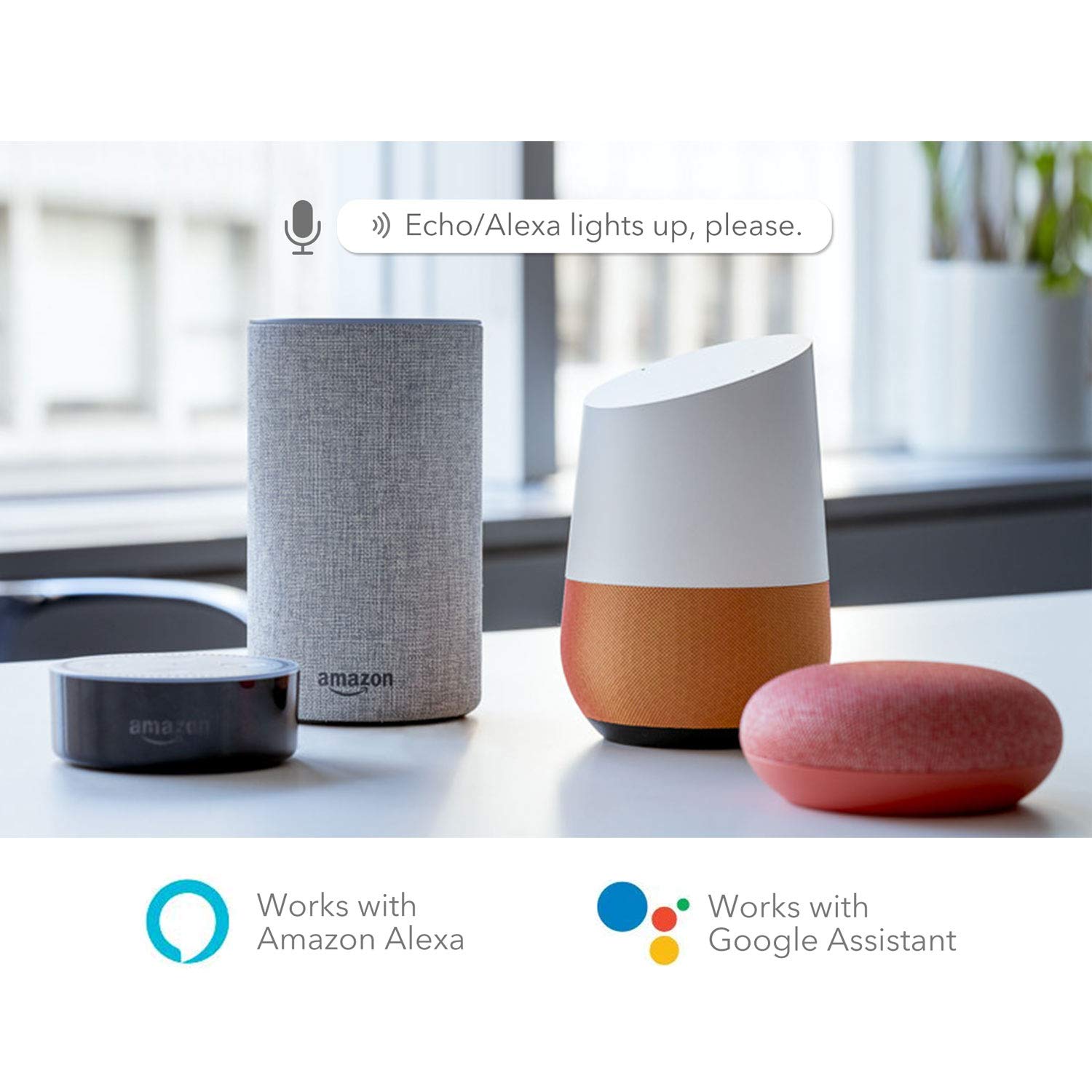
EASY TO USE: Works with Amazon Alexa and Google Home Assistant. Compatible with Alexa for voice control. Requires a secured 2.4 GHz Wi-Fi network connetion.
SATISFACTION GUARANTEE: CE Certificated ensure its safety. Please be assured purchase, HBN smart timer switch would be a good helper for your daily life!
APP REMOTE CONTROL: You can control the power on/off of your devices in a wireless way at home and away, through your smart phone or tablet. Compatible with Android, IOS.
User Reviews
Be the first to review “HBN WiFi Smart Wall Timer Switch, Compatible with Alexa and Google Assistant, No Hub Required, APP Remote Control, Control Your Devices from Anywhere 16 amp 3680 watts (1 Pack)”





Related Products


Enventor Tool Set, 218PCS Tool Kit for Home and Auto Repair, General Household Hand Tool Kit, Complete Basic Tool Kit for Homeowner, Diyer, Handyman, with Toolbox Storage Case

DEKO Tool Kit Set Box 62 Piece Home Repair DIY Tools Basic Hand Toolbox Sets for Home
![fantastory Acrylic Paint Set 24 Colors (2 oz / 60ml Each), Non Toxic, Non Fading, Waterproof, Acrylic Paint Kit for Artwork & DIY Projects on Canvas, Wood, Glass, Clay, Ceramic [Professional Series]](https://m.media-amazon.com/images/I/81HKWTuutHL._AC_SL1500_.jpg)

Lifewit Over the Door Storage, Clear Hanging Organiser with 4 Side Pockets, Anti Tilt 40 lbs Load Behind Door for Dorm, University Essentials, Room, Bedroom, Nursery, Grey, 5 Shelf, 1 Pack

20 x Carpet Tiles 5 SQM Heavy Duty Home Commercial Retail Office Shop Premium Flooring Rugs Floor Tile Hardwearing Anti-Slip Floor Covering, Bitumen Backed – Grey
£19.99
There are no reviews yet.